Remove Line Breaks Tool
Remove unwanted line breaks and clean your text instantly.
About Remove Line Breaks Tool
This tool helps you remove unnecessary new lines and line breaks from copied text. It is useful for students, bloggers, office workers and SEO professionals.
Introduction
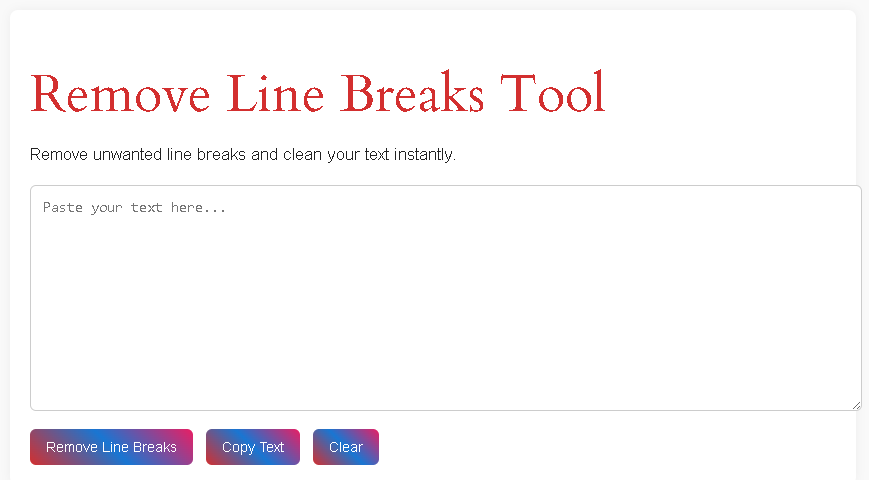
While copying text from PDFs, websites, emails, or documents, we often face a common problem — unwanted line breaks. Each sentence appears on a new line, making the text difficult to read, edit, or reuse. This can be frustrating, especially for students, bloggers, content writers, and office workers.
To solve this issue quickly, we provide a Remove Line Breaks Tool. This online tool helps you remove unnecessary line breaks and convert broken text into a clean, continuous paragraph within seconds.
🔹 What Is a Remove Line Breaks Tool?
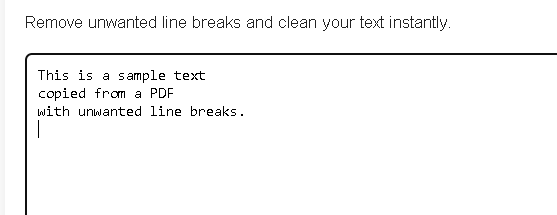
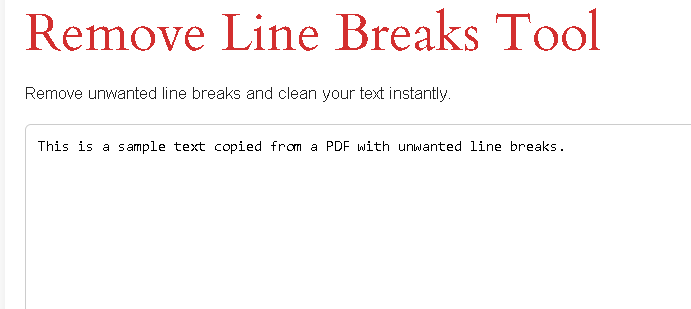
A Remove Line Breaks Tool is an online utility that removes extra line breaks, new lines, and empty spaces from text. It converts multi-line text into a single clean paragraph without changing the meaning of the content.
Example:
Before:
After:
🔹 Why Do Line Break Problems Occur?
Line breaks usually appear when:
- Copying text from PDF files
- Copying content from emails
- Extracting text from scanned documents
- Copying from websites with formatting
These breaks are useful in design but harmful for editing and SEO content.
🔹 How Our Remove Line Breaks Tool Works
Using our tool is very simple and beginner-friendly:
1️⃣ Paste your text into the input box
2️⃣ Click on Remove Line Breaks
3️⃣ The tool instantly cleans your text
4️⃣ Copy the formatted text
No signup, no download, no technical skills required. also check this
🔹 Key Features of Remove Line Breaks cleaner
✅ Free to use
✅ No registration required
✅ Instant results
✅ Mobile & desktop friendly
✅ 100% browser-based
✅ Secure & privacy-friendly
✅ AdSense-safe UI
🔹 Who Can Use This Tool?
This tool is helpful for:
- Students – formatting assignments
- Bloggers – cleaning copied content
- SEO professionals – fixing keyword-rich text
- Office workers – editing documents
- Writers – converting broken paragraphs
- Developers – cleaning raw text
🔹 Benefits of Removing Line Breaks
✔ Improves readability
✔ Saves editing time
✔ Makes text professional
✔ Helpful for SEO writing
✔ Perfect for content reuse
Clean text helps search engines and readers understand content better. our competitor
🔹 Remove Line Breaks for SEO & Content Writing
Search engines prefer well-structured text. Extra line breaks:
- Break sentence flow
- Reduce readability
- Lower user engagement
Using this tool helps:
- Improve content quality
- Create SEO-friendly paragraphs
- Increase time-on-page
🔹 Mobile & Browser Compatibility
Our Remove Line Breaks Tool:
- Works on Android & iOS
- Compatible with Chrome, Firefox, Edge, Safari
- Responsive on all screen sizes
🔹 Data Privacy & Security
🔒 Your text is never uploaded to any server
🔒 All processing happens in your browser
🔒 No logs, no storage, no tracking
Your data remains completely private.
Is this Remove Line Breaks tool free?
Yes, it is completely free to use.
Can I remove line breaks from large text?
Yes, you can paste long paragraphs easily.
Does this tool remove paragraph breaks too?
It removes unnecessary line breaks while keeping readable spacing.
Is my text stored anywhere?
No, your text stays inside your browser.
Can I use this tool on mobile?
Yes, it works perfectly on mobile devices.
Is this tool useful for SEO?
Yes, it helps clean content for better SEO formatting.